Remote Stopped Working After a Wi-Fi Change? Fix for Your Garage Door
New router, faster internet, and suddenly the opener app says offline. Here is what a Wi-Fi change actually disconnects, what it never touches, and the exact order to fix it.
A homeowner called me on a Monday morning, annoyed at his internet company. They had installed a new fiber router on Friday. All weekend his phone and TV worked fine. But the garage opener app kept saying offline, and by Sunday night the remote in his car had stopped working too. He was sure the install had broken his garage door.
It had not. Two separate things had gone wrong at the same time. The opener had simply lost its Wi-Fi connection when the old router went in a box. The car remote had a dying battery that picked that weekend to quit. Coincidence made it look like one big failure.
This mix-up is incredibly common. A Wi-Fi change only affects the smart features of an opener. The handheld remote runs on a completely different system. Once you know which half is actually broken, the fix usually takes fifteen minutes and costs nothing.
The short version
- A new router disconnects your opener from Wi-Fi because the opener still remembers the old network name and password.
- Most openers connect on the 2.4 GHz band only. They cannot see a 5 GHz network at all.
- Your handheld remote does not use Wi-Fi. It talks by radio, so a dead remote after a router swap is usually a battery or coincidence.
- Reconnecting Wi-Fi does not erase your remotes or keypad codes. They live in the opener’s memory, not the router.
- Weak signal in the garage is the silent culprit behind most repeat dropouts.
Why Does a New Router Knock the Opener Offline?
Your opener stores exactly one network name and one password in its memory. The day the old router leaves, that memory points at a network that no longer exists. The opener keeps trying to find it, fails, and reports itself offline to the app.
This happens with a new router, a new internet provider, a changed Wi-Fi password, and even some router firmware updates. Brands like LiftMaster and Chamberlain flag the opener as disconnected in the myQ app, and Genie does the same in Aladdin Connect. The fix is always the same. You teach the opener the new network.
Why Is the 2.4 GHz Band the Part Everyone Misses?
Almost every Wi-Fi opener on the market has a 2.4 GHz radio only. It cannot detect a 5 GHz network, let alone join one. Modern routers broadcast both bands under one shared network name, and a feature called band steering quietly pushes devices toward 5 GHz. Your phone loves that. Your opener gets pushed toward a band it cannot use and the setup fails.
The workaround is simple. Many routers let you split the two bands into separate network names, at least temporarily, so you can point the opener at the 2.4 GHz name on purpose. The Chamberlain Group support pages walk through the same advice for myQ setups. Once the opener is connected and updated, you can usually merge the names back and it stays put.
How Do You Reconnect the Opener to Wi-Fi, Step by Step?
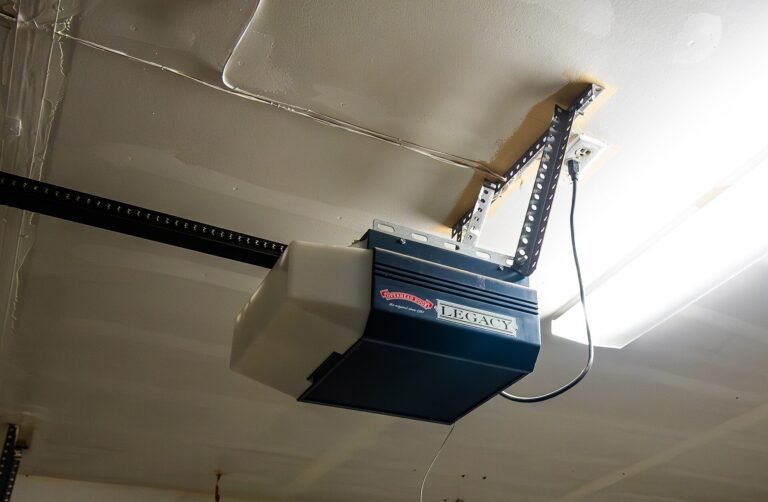
Stand on a ladder where you can reach the opener and see its lights. Open the myQ or Aladdin Connect app and choose add a device or change the Wi-Fi settings. Then put the opener into setup mode. On most LiftMaster and Chamberlain units you press the yellow learn button, or a dedicated Wi-Fi button, until the unit beeps and a blue light blinks.
Your phone will join a temporary setup network broadcast by the opener itself. Back in the app, pick your home 2.4 GHz network from the list and type the password carefully. Passwords are where most setups die, so type it exactly, capitals and all. Within a minute or two the opener beeps again, the light turns solid, and the app shows the door online. Run the door once from the app to confirm the whole chain works.
Did the Wi-Fi Change Kill Your Remote Too, or Is That Something Else?
Something else, almost every time. A handheld remote never touches your router. It sends a coded radio signal, on 315 or 390 megahertz for most Chamberlain Group openers, straight to the receiver in the motor unit. You could unplug your internet for a month and the remote would not care.
So when a remote quits the same week as a router swap, think battery first. The common CR2032 coin battery fades slowly, so the range shrinks for weeks before it dies outright. Think interference second. Cheap LED bulbs are famous for flooding the receiver with radio noise. If the remote works from five feet away but not from the driveway, interference or a weak battery is talking to you.
How Do You Reprogram a Remote or Keypad Afterward?
Good news first. Reconnecting Wi-Fi does not wipe remotes or keypad codes, because those live in the opener’s receiver memory. You only reprogram a remote that has stopped working on its own. Press the learn button on the motor unit once, then press the remote button you want to use within thirty seconds. The opener light blinks or clicks to confirm. That is the whole job for one remote.
For a wireless keypad, press the learn button, then type your four digit PIN and press enter. If you are replacing a lost remote, erase the receiver memory by holding the learn button for about six seconds until the light goes out, then program every remote and keypad back in. Erasing is the only way to lock out a remote that is floating around in a sold car or a lost jacket.
What If the Signal Is Just Too Weak in the Garage?
Garages are where Wi-Fi goes to struggle. The router often sits two rooms and several walls away, and a steel door is basically a giant radio shield when it is closed. An opener can connect fine during setup, then drop offline every few days because the signal at the ceiling is barely hanging on.
Check the signal where the opener actually lives, not where you stand. Hold your phone by the motor unit and look at the Wi-Fi strength. If it shows one bar, the opener is working with the same weak feed. Moving the router even a few feet higher or closer helps more than people expect. A mesh Wi-Fi node in the room nearest the garage fixes the stubborn cases for good.
When Is This Worth a Service Call Instead?
If the opener never had Wi-Fi, because it predates smart features, a plug-in smart hub can add app control without replacing the whole unit. If the opener goes through setup and still refuses every network, the internal Wi-Fi board may have failed, and that is a parts decision. And if you are weighing a full replacement anyway, our honest comparison of the big three opener brands lays out who each one suits before you spend anything.
An opener refusing every network may need a pro — see our garage door opener repair in Rochester, NY.
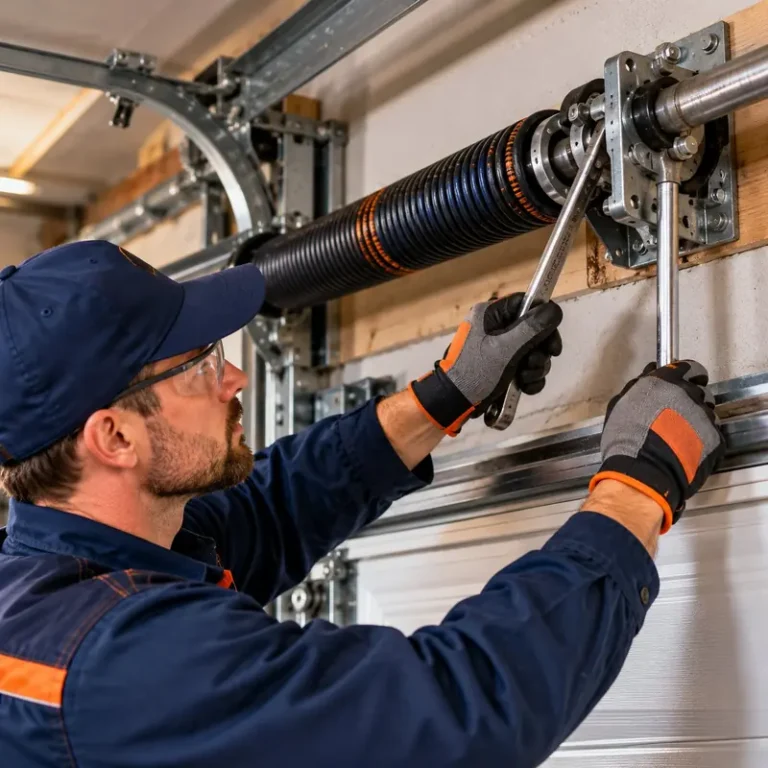
For everything else, this is also where a real diagnosis helps. Plenty of “smart opener problems” turn out to be a dragging door or tired springs confusing the opener’s force sensors. That is why homeowners choose a company that inspects the whole system instead of just selling a new motor. And since every visit follows the same five-step process, you know the price before any work starts.
Tired springs confusing force sensors need checking — see our garage door spring repair in Rochester, NY.
Wi-Fi and Remote Questions, Answered
The questions homeowners ask most after a router swap.
Your opener remembers one network name and one password. A new router means a new name, a new password, or both, so the opener keeps searching for a network that no longer exists. It is not broken. It is lost. Reconnect it through the myQ or Aladdin Connect app by putting the opener in setup mode and pointing it at the new network. The whole job takes about ten minutes, and the door, motor, and safety sensors were never affected by the change at all.
Almost every garage door opener uses 2.4 GHz only. The radio inside the motor unit cannot see a 5 GHz network, so a setup that tries to join one will fail every time. If your router combines both bands under one name, split them temporarily in the router settings and choose the 2.4 GHz name during setup. The slower band is actually the right tool here. It travels farther and passes through walls better, which matters in a garage at the edge of the house.
No. Remotes and keypad codes are stored in the opener’s receiver memory, completely separate from its Wi-Fi settings. Changing networks, passwords, or routers leaves them untouched. The only action that erases remotes is holding the learn button down for several seconds, which clears the receiver on purpose. People use that after losing a remote or selling a car. After an erase, every remote and the keypad must be programmed back in one at a time, which takes a few minutes each.
The wall button is wired directly to the opener, so it bypasses the radio receiver entirely. When the wall button works and the remote does not, the opener and door are fine and the problem sits in the radio chain. Start with the remote battery, since a fading coin battery shrinks the range slowly before quitting. Next, suspect interference from LED bulbs near the opener. Finally, reprogram the remote at the learn button. One of those three fixes the great majority of dead remote calls.
Yes, and it surprises everyone. Some LED bulbs, especially cheap ones, leak radio frequency noise as they run. The opener’s receiver hears that noise as static and cannot pick out the remote’s signal, so the range collapses or the remote stops working near the house. The test is free. Unscrew the bulbs in the opener and nearby fixtures, then try the remote from the driveway. If the range comes back, replace those bulbs with quality ones labeled for garage door opener use.
A dying battery rarely fails in one day. The classic pattern is shrinking range over a few weeks, then needing two or three presses, then nothing. Watch the little light on the remote when you press the button. Dim or flickering means the battery is nearly done. Most remotes use a CR2032 coin battery that costs a couple of dollars and swaps in under a minute. Because the code lives in the opener, a fresh battery brings the same remote straight back to life.
Repeat dropouts usually mean weak signal at the motor unit rather than a bad opener. The garage sits far from the router, walls eat signal, and a closed steel door blocks even more of it. Stand under the opener and check the Wi-Fi strength on your phone. One bar there explains everything. Moving the router closer or higher helps, and a mesh node in the room beside the garage ends the cycle for good. An opener that reconnects and drops on a schedule is reporting signal, not failure.
You have two sensible paths. A smart hub or smart control add-on plugs in near the opener, connects to your Wi-Fi, and wires to the opener’s wall button terminals, adding app control, alerts, and schedules to a healthy older unit for a modest cost. The second path is a new opener with Wi-Fi built in, which makes sense when the old unit also needs gears, a board, or remotes. If the motor runs strong and the door is balanced, the hub is the honest recommendation.
The Bottom Line
A Wi-Fi change breaks exactly one thing: the opener’s memory of your network. Teach it the new 2.4 GHz network, confirm the app runs the door, and the smart features are back. A remote that died the same week is a separate coin toss, almost always a two dollar battery or interference from a light bulb.
If you have run through the steps and the opener still will not behave, get garage door repair across Rochester from a technician who will check the door behind the opener too. You can see everything we fix on the homepage before you call.
Opener Still Offline? Get It Sorted by a Technician
One call. Price before any work starts. We check the smart features and the door itself.
Call (866) 727-0060